Showing posts with label for. Show all posts

Saturday, November 23, 2013

Nokia 5130 keypad solution keys and switches connection tracing guide for repair

Nokia 5130 keypad solution, keys and switches connection tracing guide for repair

Heres the Nokia 5130 complete keypad solution, this solution shows each certain keypad key connections including the button switches such as the volume up and volume down control buttons and also the MP3 player button switches such as the Start/stop, forward and rewind button switches.

The solution may help repair and fix nokia 5130 keypad malfunction and button switches failure. You may check, trace particular keys which are not able to function by using the repair guide below. Each group of colors indicates that they are connected with each other. So just locate where that particular non working key being connected and mend it found cut or open.

Nokia 5130 xpressmusic keypad keys malfunction full tracing solution
nokia 5130 keypad key jumper ways full tracks


The Power ON/OFF key is isolated and not connected to other group of key connection for it only holds for switching or powering up the device. There is an open spots near the keypad filter IC that the power ON and OFF key can be connected when the power key fails or or if the line is cut or open.

Nokia 5130 ON-OFF power key jumper ways 
nokia 5130 power on and off jumper ways


And heres the internal connection of the keypad filter IC, you may check and apply a temporary jumper on this components to ensure that the inner line paths from the application processor is not being damaged.

Nokia 5130 keypad filter IC jumper ways 
source 
nokia 5139 keypad filter Ic jumper ways

source and spcial thx for gsmangel-nokiaharware.blogspot.com
Read More..

Friday, November 22, 2013

IMEI 12345654321 Rpl Ganarator For All BB5 Mobile Handset

IMEI 12345654321? Rpl Ganarator For All BB5 Mobile Handset


Now a day that many people fall there BB5 handset in IMEI ? (That Means 12345654321?). In this way many bad workers give us some BB5 IMEI ganarator software that is a virus.
But suddenly I saw that in BB5 IMEI 12345654321? handset if you give this code (*#92702689#) then you can see here phone original code.
IMEI 12345654321? Rpl Ganarator For All BB5 (For Example : 3110c, 5130XM, 2700c, N73, N70, 3500c) Mobile Handset Just Try *#92702689# and See Result.
Read More..

Monday, November 11, 2013

Samsung rolls out Android 4 1 2 Jelly Bean update for the AT T Galaxy Note SGH I717

Firmware Details:
Android Version: 4.1.2 – Build JZO54K
PDA: I717UCMD3
CSC: I717ATTMD3
MODEM: I717UCMD3
Build date: 6 April 2013
Changelist: 1117019                    

                           DOWNLOAD LINK
Read More..

Wednesday, October 23, 2013

How to enter the Unlocking Code for a Pantech Model phone

Option 1 - Pantech Models

1. Turn on your phone with an original SIM Card in it
2. Type the following: * # 8 6 5 6 2 5 #
3. A SIM Unlock Menu will appear, press Ok
4. Enter Unlock Code + * (8 digit code)
5. Re-enter Unlock Code + * (8 digit code)
6. The phone will display Unlock Process Complete
7. Press Ok
7. The phone is now unlocked.

Option 2 - Pantech Models

1. Insert a not accepted SIM Card and turn the phone on
2. When prompted, enter the unlocking code provided
(Note: Use the onscreen keyboard and make sure that wireless mode is off)
3. Your phone will now be unlocked.

Option 3 - Pantech Models

1. Insert an non-accepted SIM Card and turn ON your phone
2. A hidden Sim Unlock Menu will appear
3. Enter the Unlock Code provided
4. The phone will display the message Unlock Process Complete
5. The phone will now be unlocked.


Read More..

Tuesday, October 15, 2013

Huawei USB Modem Unlocker App for iOS update

Huawei (USB Modem) Unlocker App for iOS update

Do you still have a Huawei (USB Modem) to Unlock? Hope so

A small gift for all iPhone and iPod Touch (Jailbroken Device Only) owners..


Download IPA File Here: Huawei (USB Modem) Unlocker App

Requirements:

- Version: 4.0 and Up
- iPhone and iPod Touch (Jailbroken Device Only)
- iTunes, iFunBox, iTools (Use this to Install the App)
Read More..

Saturday, October 5, 2013

DOWNLOAD CUT THE ROPE FULL VERSION FOR FREE

DOWNLOAD CUT THE ROPE FULL VERSION FOR FREE


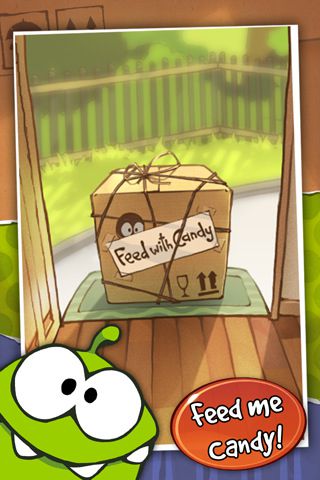
As promised for Friday release, the most demanded and award-winning Cut the Rope for Android is now avialable from ZeptoLab. Cut the rope is another popular game title can be compare to Angry Birds, Fruit Ninja, Plants vs. Zombies. We thought it would be Amazon Appstore to get Cut the Rope exclusively but it’s turn out another popular Free applications download service for mobile platform Getjar got it.
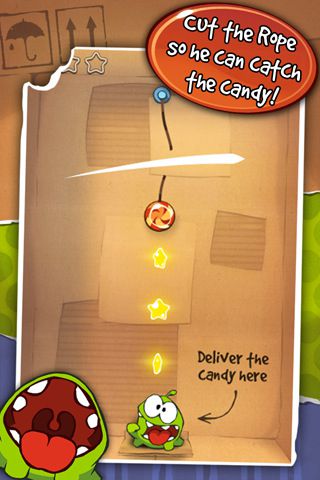
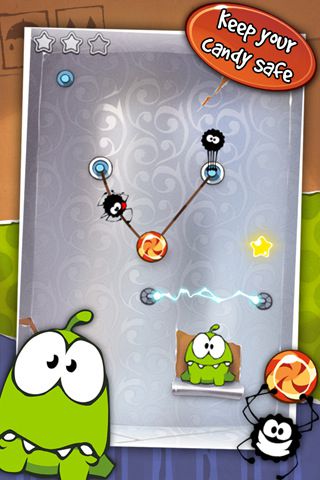
Screenshot of Cut the Rope for Android  Screenshot of Cut the Rope for Android  Screenshot of Cut the Rope for Android
Your job in Cut the Rope Android game is to deliver candy, feed your new pet Om Nom with these delicious candy to make hime happy! Watch below the video gameplay trailer of Cut the Rope for Android game:
Read More..

Tuesday, September 24, 2013

Latest version 1 0 for Android version 2 2 and higher supports App2SD


Now the top rated iPad curling game is available for Android! US App Store: 5 stars average rating.
Join the Secret Agent Curling Academy! Play in the hidden Curlington facility and master the game of Top Secret Curling. Use gadgets, special stones and the interior to your advantage. Standard curling rules with a completely new gameplay! Optionally you can also relax with a game of normal curling...

Features:
✓ Extremely fine tuned and super smooth controls...
✓ Detailed HD Graphics
✓ You get a sense of the curling stone weight!
✓ Option to turn off the "arcade" gameplay for normal curling
✓ Levels are streamed for faster loading
✓ Multitouch for extra power is now just as precise as using single touch
✓ Smarter AI (iPad player) with easy or medium settings
✓ Choose number of rounds to play showing approx. durations based on player count and stones per round. Perfect game-speed / duration control
✓ Options for graphics and physics settings (lock physics objects)
✓ Game Pause
✓ Swiping on takeouts (two fingers for opponent stone, and still swipe with one for getting own stone closer to target)
✓ Slow down the Stone by swiping downwards pushing ice debris in front of it
✓ Position stone sideways, slide to add force and direction
✓ Sweeping affects the friction for longer glides and less curl
✓ Faster sweeping gives more effect and lighter sweeping for more finesse
✓ After stone is released, sliding sideways adds rotation to stone and increases curl when stone speed slows down
✓ Earn and collect bonus point and use them in the equipment store
✓ Shoot bonus targets
✓ Stones are breakable
✓ Use two or three fingers for more power
✓ Anti-gravity stone
✓ Explosive stone
✓ A lovely stone
✓ Castle Guard stone
✓ Hovering stone
✓ Spy stone
✓ Mini stone
✓ Burning stone
✓ 1-4 Players
✓ AI Player
✓ Training modus

Content rating: Everyone

Latest version: 1.0 (for Android version 2.2 and higher, supports App2SD)


DOWNLOAD
Read More..

Saturday, September 21, 2013

How to Care for the iPad 2

THE GADGET | How to Care for the iPad 2 | ipad, apps for ipad, ipad app, prices for ipad, ipad vs, 3g ipad, free ipad - What comes next after your get your hands on a new tech toy ? Me ? I buy protective gears before even unboxing it. I buy screen protectors, shockproof or scratchproof covering, and things similar to those I have already mentioned.What will you do to take care of a new toy like iPad 2 ? You might want to read the rest of this article to be informed of the things you can do for your gadget

How to care for your iPad 2:
  1. The screen has a special coating that minimizes fingerprints.However, excess usage will cause the blotches to show.To prevent this from happening, you can buy a cloth to clean your screen after usage.Usually, the special cleaning cloth is made of microfiber or chamois.
  2. Make sure that you do your research before buying a cleaning cloth. There are those that can cause scratch so read reviews. Aside from the cloth, you can use a polish with it as well. However, you make sure that your chosen polish does not have abrasive chemicals that can damage your gadget.
  3. The most recommended brand is the iKlear. Using them together will help you keep your iPad 2 screen scratch-free. If you do decide to use a polish, use one occasionally. That’s what I do with my toy. Screen protectors are great tools as well so I suggest that you buy one immediately.
  4. Another useful innovation is the Smart Cover. It protects your screen from any potential damage. Despite having that cover, you still need to care for that cover as well. Use a wet cloth if you have the polyurethane type.Just water will do to clean it.
  5. You can use leather cleaners for the leather type.Just make sure that you choose the right cleaner. Those that are too harsh can discolor and damage your cover. The insides of the cover are easier to clean. Just use a lint remover for it and it will look as good as new.
  6. For your batteries, you can charge it completely and then drain it. Do this once a month to maximize your battery life. In addition to that, I suggest that you update your iPad 2. Apple makes modifications in their software. Those modifications can include tweaks or improvements for your software to reduce battery usage.
  7. You need to store your gadget away from heat more than 95 degrees Fahrenheit. You need to avoid it from areas colder than 32 degrees Fahrenheit as well. Like other gadgets, water is one of its greatest enemies.
  8. Keep in mind that your gadgets, specifically the iPad 2, will last longer if you know how to care for it. Just remember the tips and tricks in this post to make the most out of your new tech toy. If I were you, I will invest in the products mentioned above to secure my new toy’s safety. So what are you waiting for? Head over to stores now and buy a protector for your iPad 2.

Tags: ipad 2, ipad apps, app for ipad, best ipad, ipad cases, cases for ipad, cases ipad, ipad applications, applications for ipad, ipad free, ipad for free, ipad review, ipad prices
Read More..